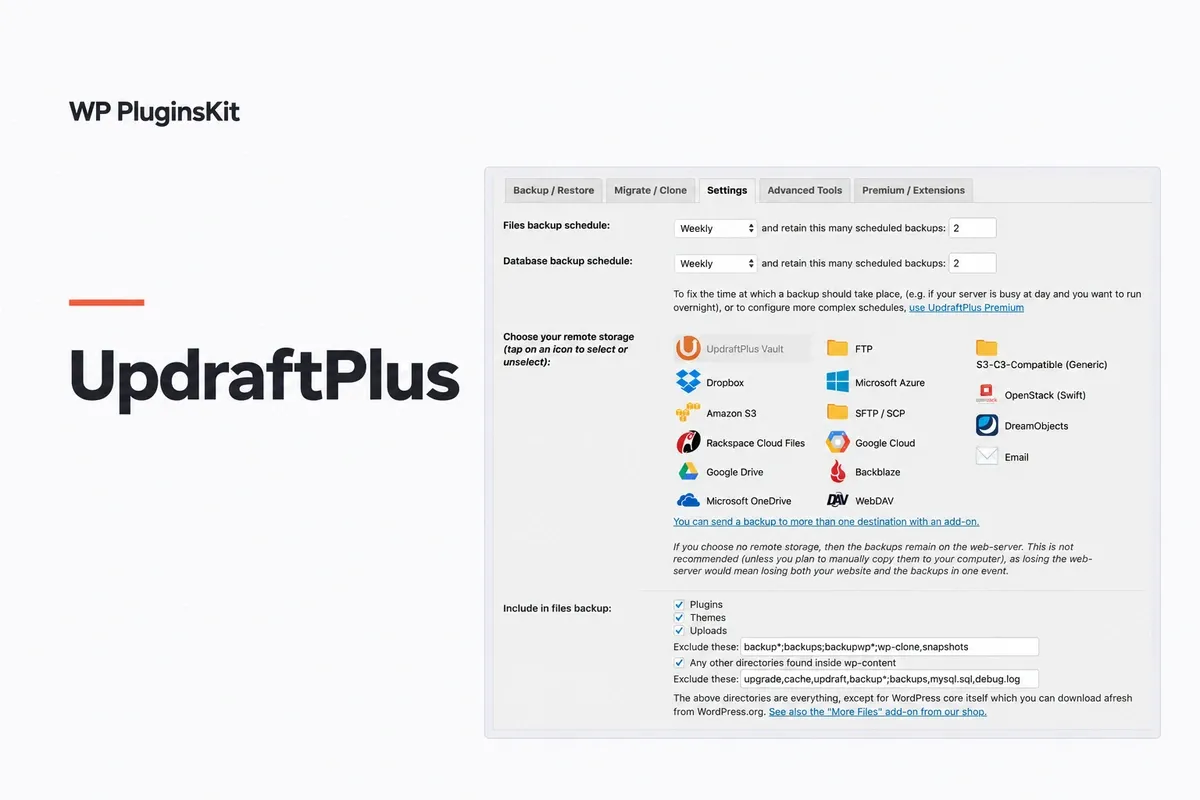
UpdraftPlus is for keeping a restorable copy of your site. A useful backup includes both the database and the files, and a copy stored away from the WordPress server.
- Edition
- Free on WordPress.org
- WordPress
- 3.9 or later
- PHP
- Not specified in listing
- Task
- Backups
A backup on the same server can disappear with the site. Choose remote storage for routine backups and verify the first completed copy before relying on a schedule.
Setup guide
Use an administrator account on a WordPress site that allows plugin installation. Back up an existing site before adding a plugin or changing its settings.
- Follow WordPress's plugin installation steps: open Plugins → Add New Plugin in the WordPress dashboard.
- Search for UpdraftPlus and match it with its WordPress.org listing above. Check the required WordPress and PHP versions before continuing.
- Choose Install Now, wait for it to finish, then choose Activate.
- Follow the UpdraftPlus instructions to open the settings and create a manual backup of both the files and database. Wait for the backup to finish.
- Connect a supported remote-storage location in the plugin’s settings, authorize it when prompted, and save your settings. Choose a schedule that matches how often the site changes.

Confirm that the completed backup is listed without an error and that the remote location contains its files. Keep access to the storage account available for recovery.