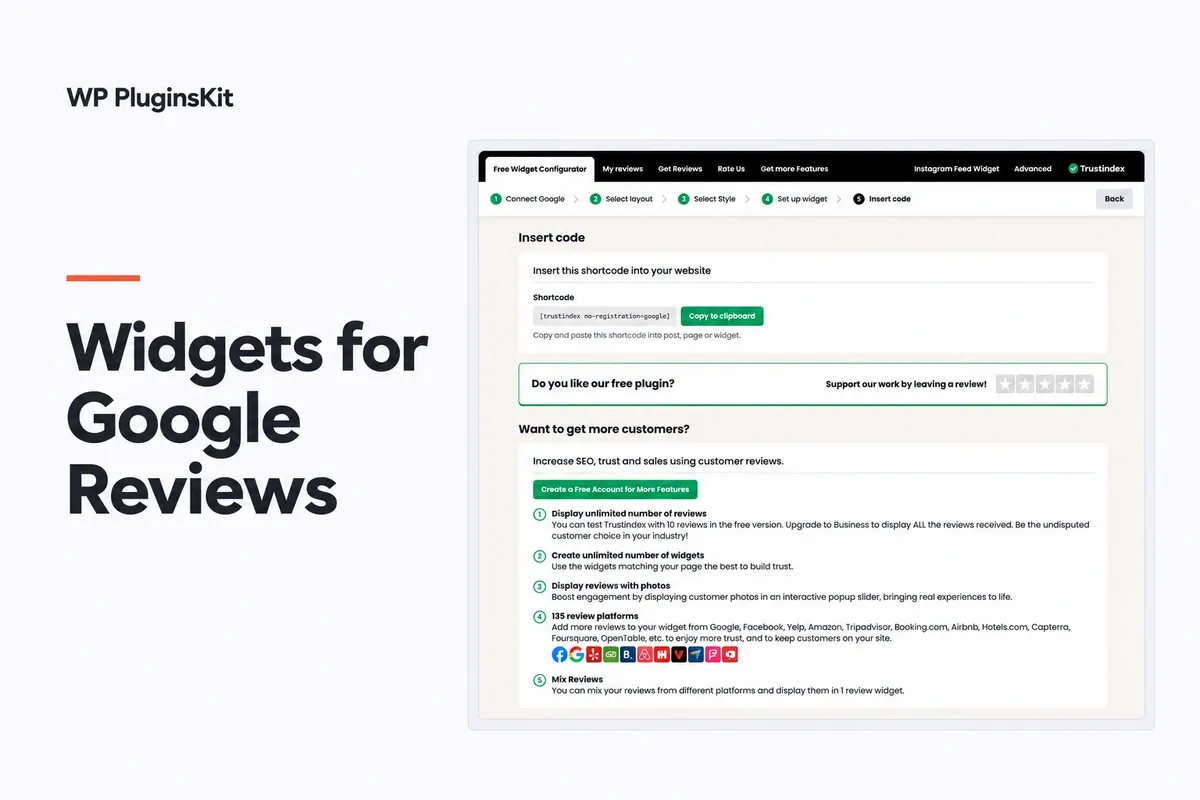
Widgets for Google Reviews by Trustindex displays reviews from one Google Business Profile on your WordPress site without a Trustindex account or Google API key. The free plugin gives you one widget with up to 10 reviews, unlimited widget views and a manual refresh every 10 days. I'd use it for a small business that can maintain that schedule; automatic updates and multiple locations need the separate Professional service.
Choose the free plugin or a cloud widget
The Trustindex plugin listing identifies the free WordPress product as Widgets for Google Reviews, by Trustindex.io. Similar names belong to other developers, so check both the name and author before installing.
| Option | Features and limits |
|---|---|
| Free WP | One Google Business Profile, one widget, up to 10 reviews and unlimited page usage and views. No account or API key. No time limit. Refresh manually from My Reviews every 10 days. |
| Trial | A Trustindex cloud account lets you try its paid widget features. The current trial lasts seven days. When it ends, the free account keeps review-management functions, but its website widgets stop displaying and show an error. |
| Paid | Automatic review updates, more reviews, multiple profiles or platforms and multiple widgets. Create a widget in your Trustindex account and replace the free widget's code. Paying doesn't convert an existing free widget automatically. |
Trustindex's free-versus-paid explanation separates the free WordPress plugin from the free cloud account. You can finish the WordPress setup without choosing Create a Free Account for More Features. That distinction matters more than the number of available designs.
Connect the correct business
Make a current backup before adding the plugin to an established site. UpdraftPlus is one WordPress backup option. Keep a record of the business profile, widget settings and page containing the shortcode, too. Deleting this plugin removes its reviews, settings and files from WordPress; it doesn't delete the original reviews on Google. Reinstallation is a poor first response to a stale widget.
On WordPress.com, confirm that your plan allows plugin installation. Install and activate the Trustindex plugin, then open it from the WordPress admin menu. In Connect Google, search for your business name and confirm the location before proceeding. The version 15.0 installation instructions also support using the Google Maps URL when the business has no physical address. You don't need to create a Google Cloud project or billing account.
Compare the selected profile with its public Google listing: business name, location and review link. A chain with several branches needs the intended branch, rather than whichever matching name appears first. The free plugin supports one profile; combining locations belongs to the Professional service.
Choose a layout and review selection
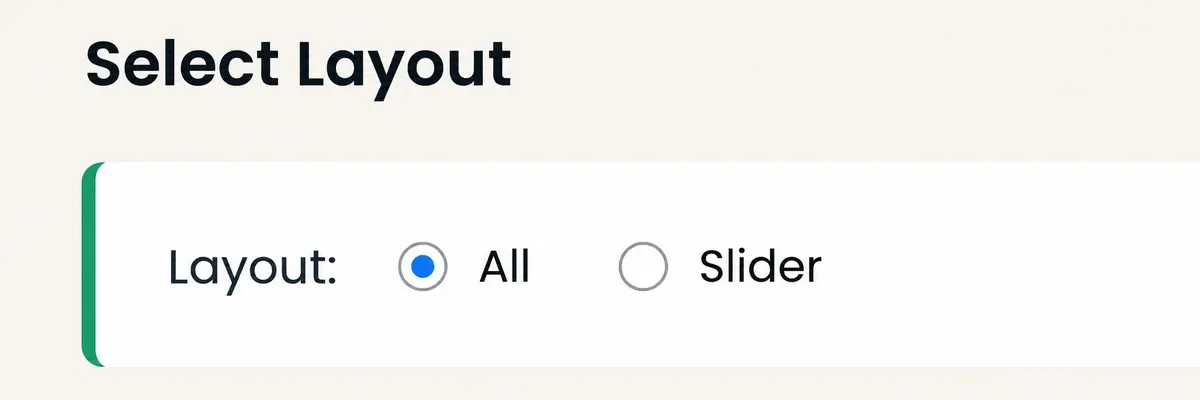
Continue through Select Layout → Select Style → Set up widget. Trustindex's WordPress widget walkthrough shows this sequence before the code step. Pick a layout that fits the available page width. A compact list beside a contact form and a wider grid on a testimonials page solve different layout problems.
Start with Filter your ratings → Show all while checking the connection. Review hiding, minimum-rating filters, reviewer-name controls and owner replies are available in the free plugin. Filters can explain why the displayed set is smaller than the imported set. If you later select favorable reviews, describe that selection honestly on the page rather than presenting it as the complete history of customer feedback.

Choose the widget language and whether to show owner replies, profile pictures and long-review expansion. Check the preview after each change. The Jotform widget evaluation highlights Trustindex's filtering and moderation, while noting that setup takes attention. For this plugin, a useful check is whether the chosen filters still show the reviews you intended to include.
Place the shortcode on one page
Save the configuration with Save and get code, then use Copy to clipboard in the Insert code step. The free configurator shows [trustindex no-registration=google]. Copy the code generated by your own installation.
In the WordPress block editor, add a Shortcode block where the reviews should appear and paste the copied code. In a page builder, use its shortcode element. Keep the plugin active so WordPress can render the shortcode. Check one page before placing the same widget throughout the site; the free version allows unlimited page usage, but those placements share its one widget configuration.
Open the saved page while signed out and compare it with the editor preview. Confirm that the business link opens the intended Google profile, review text remains readable, and the chosen layout fits a narrow phone screen. Try any Read more links and slider controls with the keyboard. Record the displayed review dates and total count separately so a later refresh problem is easier to describe.
The plugin renders review content as regular HTML rather than an iframe. Its current free-plugin documentation describes locally stored review data and locally served widget assets. That architecture doesn't establish a speed score for your page: check the finished page alongside the rest of its images, forms and scripts.
Refresh reviews without resetting the plugin
The free plugin imports reviews during setup and stores them locally. Open My Reviews and use the manual update option when it becomes available. The current listing specifies every 10 days; the WordPress refresh help confirms that free widgets don't synchronize automatically. A cloud-account article mentioning daily updates doesn't change that free WordPress limit.
| Issue | Check and action |
|---|---|
| Reviews | For old reviews, check whether the new review is publicly visible on the correct Google profile and a manual update is available in My Reviews. Use the available refresh, then compare the imported reviews and public page. Check rating and comment filters if a review is still absent. |
| Count | Do review dates change while the displayed total stays the same? Record both values. Clear the affected page's cache and reload signed out. Send the mismatch and plugin troubleshooting information to support if it persists. |
| Code | Does the visitor see literal shortcode text? Check whether the plugin is active and you used a shortcode block or element. Correct the placement or restore plugin activation, then check the public page again. |
| Trial | For a trial error, check whether the embedded widget was created in a cloud account rather than the free configurator. Choose a paid cloud subscription or replace that embed with a widget configured through the free WordPress path. |
| Ten | If you're still limited to ten reviews after paying, is the page still using the no-registration shortcode? Create and save the paid widget in your account, then replace the old code with that widget's generated code. |
A historical WordPress support discussion about stale reviews and counts shows why those symptoms need separate checks. Participants reported different behavior for imported reviews and the total count. Those reports don't establish a current universal bug, and the thread's older refresh interval shouldn't replace the current 10-day specification.
For paid widgets, follow Trustindex's WordPress paid-plan instructions: connect the platform in your account, create and save the widget in its Widget Configurator, copy its code and replace the existing free embed. If you use the account's WordPress shortcode, keep the plugin active to render it. Don't place both versions in the same spot and expect the subscription to select one.
Separate review display from search stars
Readable reviews can help a visitor assess your business. Buying a widget with schema features doesn't make your own business eligible for organic review stars. Google's review-snippet guidelines exclude self-serving reviews for LocalBusiness and Organization pages, including reviews displayed through an embedded third-party Google or Facebook widget.
Don't relabel reviews of your business as ratings of an individual product to pursue stars. Choose the paid service for an operational need such as automatic updates or multiple locations, rather than a promise that your search result will gain a rating.
The free plugin's current documentation says its visitor-facing widget makes no requests to Google, Trustindex or a CDN and sets no tracking cookies. Trustindex still supplies the service that fetches public reviews during setup. Review the actual integration and your privacy disclosures, including how reviewer names are displayed; local storage alone doesn't settle the whole site's privacy obligations.
I'd keep this free plugin when one profile and a small, manually maintained review selection fit the site. Start with one page, confirm the public result, and put the refresh interval into your maintenance routine. If your next task involves another kind of WordPress feature, the plugin catalog groups the available tools.
Setup guide
Before installing: Back up the site and confirm the correct public Google Business Profile. WordPress.com users need a plan that allows plugin installation. Plugin version 15.0 requires WordPress 6.2 or newer and PHP 7.2 or newer; these are compatibility floors, so keep a currently supported hosting runtime.
- Open Plugins → Add New Plugin, search for Widgets for Google Reviews by Trustindex.io, install and activate it.
- Open the plugin and connect the intended Google profile by business name, or use its Google Maps URL for a business without a physical address. No Trustindex account or Google API key is required for the free path.
- Choose a layout and style. In Set up widget, check the rating filter, language, name display and owner replies.
- Save and get the code. Copy the shortcode from Insert code and paste it into a Shortcode block or your builder's shortcode element.
- Save the page and check it signed out on a phone and desktop. Confirm the business link, readable reviews, controls, review dates and count.
- Use My Reviews for the free plugin's manual refresh every 10 days. Keep the plugin active; back up before deleting it because deletion removes its WordPress data and files.